Node type browser_inputContent
Enter supplied content into the target input element.
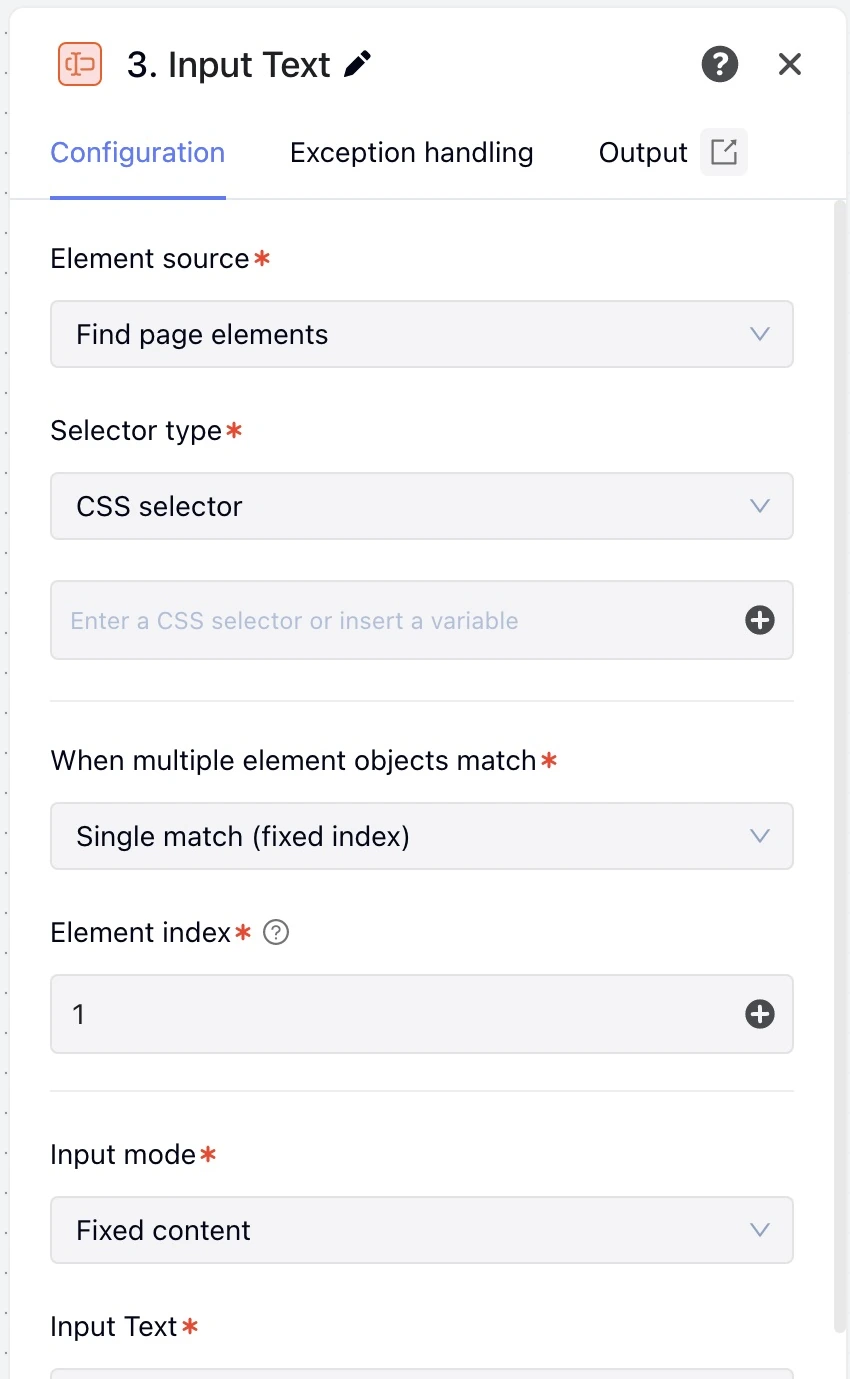
Captured in the English interface of MoreLogin Desktop V2.73.101.
These fields belong in data.browserUi.inputs.
| Field | Type or values | Schema required | Execution default | Description and bounds |
|---|---|---|---|---|
selectorType | "selector" / "element" / "frame" (supports variable references) | No | "selector" | Element source. Editor initial value "selector" |
frame | string | No | — | iframe variable |
element | string | No | — | Element variable |
selectorRadio | "CSS" / "XPath" (supports variable references) | No | "CSS" | Selector type. Editor initial value "CSS" |
selector | string | No | — | Selector |
serialType | "fixed" / "randomInterval" (supports variable references) | No | "fixed" | When multiple element objects match. Editor initial value "fixed" |
serial | WorkflowNumber | No | 1 | Element index; integer; minimum after resolution: 1. Editor initial value 1 |
serialMin | WorkflowNumber | No | — | Minimum index; integer; minimum after resolution: 1 |
serialMax | WorkflowNumber | No | — | Maximum index; integer; minimum after resolution: 1 |
isRandom | "fixed" / "0" / "1" / "2" (supports variable references) | No | "fixed" | Input mode. Editor initial value "fixed" |
content | string | No | — | Input content |
randomContent | string | No | — | Candidate text (one per line) |
randomInputNum | array / object (supports variable references) | No | — | Random number range; fractions and negatives allowed; max ≥ min |
isClear | boolean (supports variable references) | No | true | Clear before input. Editor initial value true |
intervals | WorkflowNumber | No | 200 | Per-character typing interval (ms); minimum after resolution: 0. Editor initial value 200 |
postWaitMs | WorkflowNumber | No | 300 | Wait after completion (ms); minimum after resolution: 0. Editor initial value 300 |
- Locator rules: selectorType=selector requires selector; frame requires frame+selector; element requires an ElementRef reference from a previous node. serial starts at 1. randomInterval uses serialMin/serialMax, and the minimum cannot be greater than the maximum. The node first waits for the selector to match elements, then picks the index once: the upper bound of the range is capped at the actual match count. If a fixed index or the lower bound of the range is greater than the match count, ELEMENT_NOT_FOUND (reason=range, details.field is serial or serialMin) is returned immediately and the page is not touched. isRandom=fixed requires content. When the whole content is a reference to a number or boolean, its text is typed; an object/array is typed as JSON text. 0/1 require randomContent with one entry per line. Empty lines (empty after trimming whitespace) are not picked, and 0 picks the Nth non-empty line for the Nth environment. 2 uses randomInputNum, with a default range of [1,100]. intervals is the per-character typing interval, in milliseconds.
- Validation code
RPA_NODE_INPUT_INVALID
isRandom eq "2"
- Required
randomInputNum - This field is required in the editor and has no default. If it is omitted, writes and validation return RPA_NODE_INPUT_INVALID (reason=required), and a run is rejected the same way before it starts.
- Validation code
RPA_NODE_INPUT_INVALID
| Field | Allowed forms |
|---|---|
selectorType | literal, template |
frame | literal, template |
element | literal, template |
selectorRadio | literal, template |
selector | literal, template |
serialType | literal, template |
serial | literal, numericExpression |
serialMin | literal, numericExpression |
serialMax | literal, numericExpression |
isRandom | literal, template |
content | literal, template |
randomContent | literal, template |
randomInputNum | literal, numericExpression |
isClear | literal, template |
intervals | literal, numericExpression |
postWaitMs | literal, numericExpression |
| Output field | Type or values |
|---|---|
element | ElementRef |
value | string |
insertedText | string |
characterCount | number |
Reference published fields as ${nodeId.data.field}.
A complete node object for a workflow's nodes array or another node's blocks. keyword is a initial parameter declared in workflow.variables.
{
  "id": "type_query",
  "type": "browser_inputContent",
  "data": {
    "title": "Type the search keyword",
    "browserAction": "inputContent",
    "browserUi": {
      "inputs": {
        "selectorType": "selector",
        "selectorRadio": "CSS",
        "selector": "input[name=q]",
        "isRandom": "fixed",
        "content": "${keyword}",
        "isClear": true,
        "intervals": 200,
        "postWaitMs": 300
      },
      "exception": {
        "timeout": 30000,
        "policy": "interrupt"
      }
    }
  }
}