Node type browser_getElementRef
Locate an element and return a handle for later element actions.
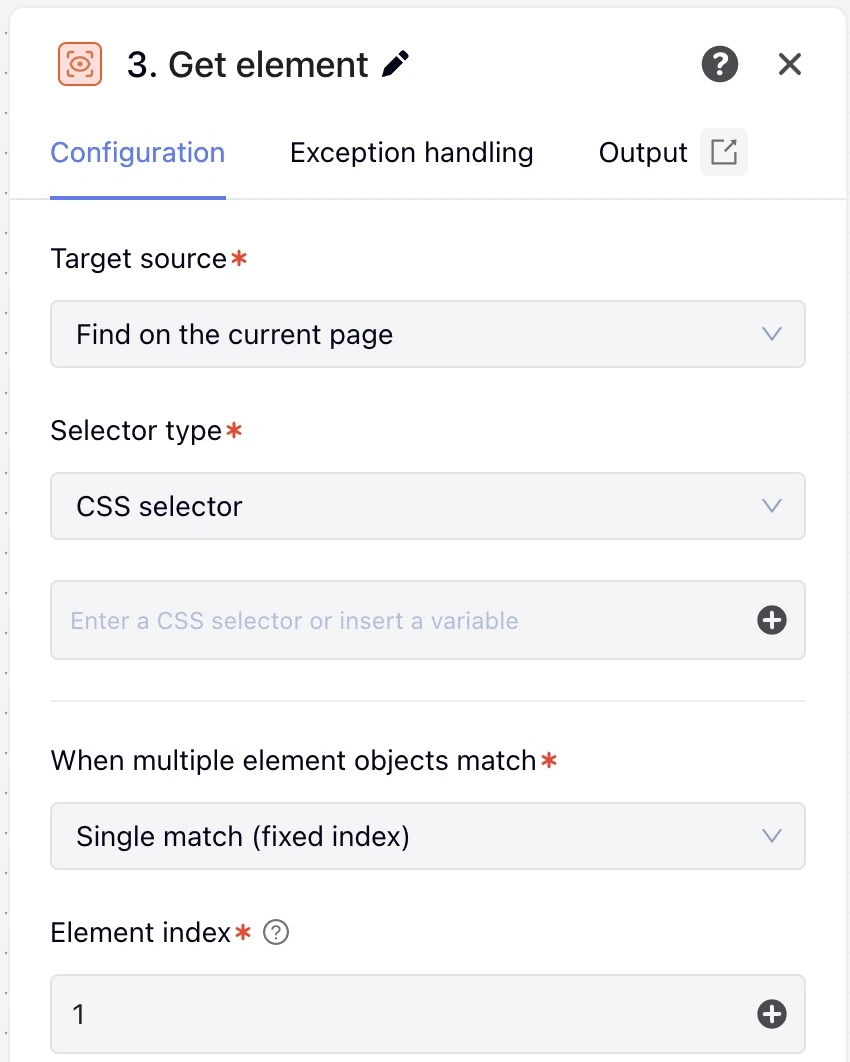
Captured in the English interface of MoreLogin Desktop V2.73.101.
These fields belong in data.browserUi.inputs.
| Field | Type or values | Schema required | Execution default | Description and bounds |
|---|---|---|---|---|
selectorType | "selector" / "element" / "frame" (supports variable references) | No | "selector" | Target source. Editor initial value "selector" |
frame | string | No | — | iframe |
element | string | No | — | Element reference |
selectorRadio | "CSS" / "XPath" (supports variable references) | No | "CSS" | Selector type. Editor initial value "CSS" |
selector | string | No | — | Selector |
outputRange | "single" / "all" (supports variable references) | No | "single" | When multiple element objects match. Editor initial value "single" |
serialType | "fixed" / "randomInterval" (supports variable references) | No | "fixed" | When multiple element objects match. Editor initial value "fixed" |
serial | WorkflowNumber | No | 1 | Element index; integer; minimum after resolution: 1. Editor initial value 1 |
serialMin | WorkflowNumber | No | — | Minimum index; integer; minimum after resolution: 1 |
serialMax | WorkflowNumber | No | — | Maximum index; integer; minimum after resolution: 1 |
type | "object" (supports variable references) | No | "object" | Output type. Editor initial value "object" |
- The node finds and returns a real element reference. The reference can be reused only within the same run or in debugging within the same epoch.
- Validation code
RPA_NODE_INPUT_INVALID
| Field | Allowed forms |
|---|---|
selectorType | literal, template |
frame | literal, template |
element | literal, template |
selectorRadio | literal, template |
selector | literal, template |
outputRange | literal, template |
serialType | literal, template |
serial | literal, numericExpression |
serialMin | literal, numericExpression |
serialMax | literal, numericExpression |
type | literal, template |
Mode outputRange eq "single"
| Output field | Type or values |
|---|---|
element | ElementRef |
matchedCount | number |
Mode outputRange eq "all"
| Output field | Type or values |
|---|---|
element | array<ElementRef> |
matchedCount | number |
Reference published fields as ${nodeId.data.field}.
A complete node object for a workflow's nodes array or another node's blocks.
{
  "id": "find_button",
  "type": "browser_getElementRef",
  "data": {
    "title": "Find the submit button",
    "browserAction": "getElementRef",
    "browserUi": {
      "inputs": {
        "selectorType": "selector",
        "selectorRadio": "CSS",
        "selector": "button[type=submit]",
        "outputRange": "single",
        "serialType": "fixed",
        "serial": 1,
        "type": "object"
      },
      "exception": {
        "timeout": 30000,
        "policy": "interrupt"
      }
    }
  }
}