MoreLogin uses different authentication methods for its two API types.
The Local API runs on http://127.0.0.1:40000 and is accessible only from the local machine.
By default, the Local API does not require authentication. You can make requests directly:
curl -X POST http://127.0.0.1:40000/api/env/page \
  -H "Content-Type: application/json" \
  -d '{
    "pageNo": 1,
    "pageSize": 10
}'For enhanced security, you can enable Local API authentication in the MoreLogin client:
- Open the MoreLogin client
- Navigate to Settings → API & MCP
- Enable Local API Authentication
- Copy the generated authorization token
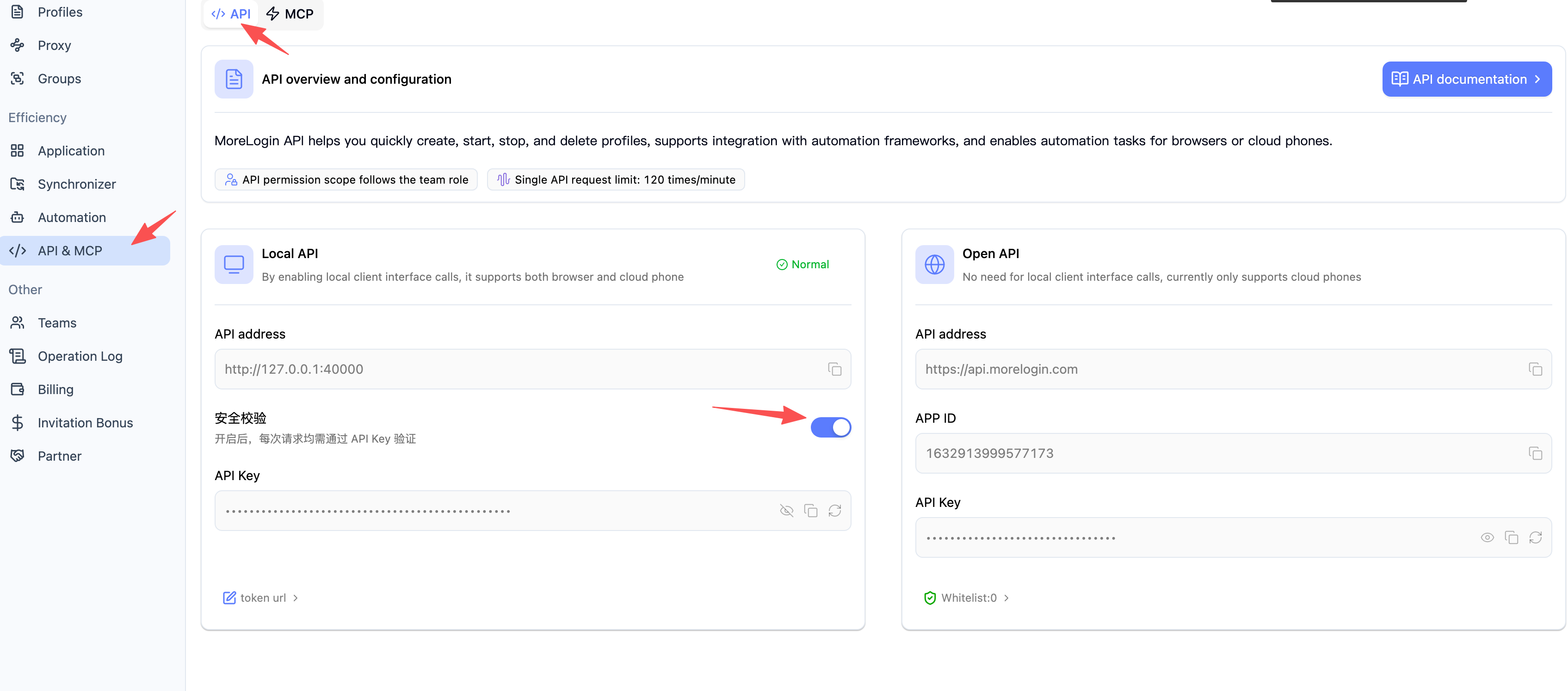
After enabling, include the Authorization header in all requests:
curl -X POST http://127.0.0.1:40000/api/env/page \
  -H "Content-Type: application/json" \
  -H "Authorization: YOUR_AUTH_TOKEN" \
  -d '{
    "pageNo": 1,
    "pageSize": 10
  }'
Security Note: The Local API is only available on
localhost. It cannot be accessed remotely.
The Open API uses OAuth2 client credentials flow to authenticate requests.
Open API Server endpoint:
https://api.morelogin.com
- Open the MoreLogin client
- Navigate to Settings → API & MCP
- Copy the API ID and API Key
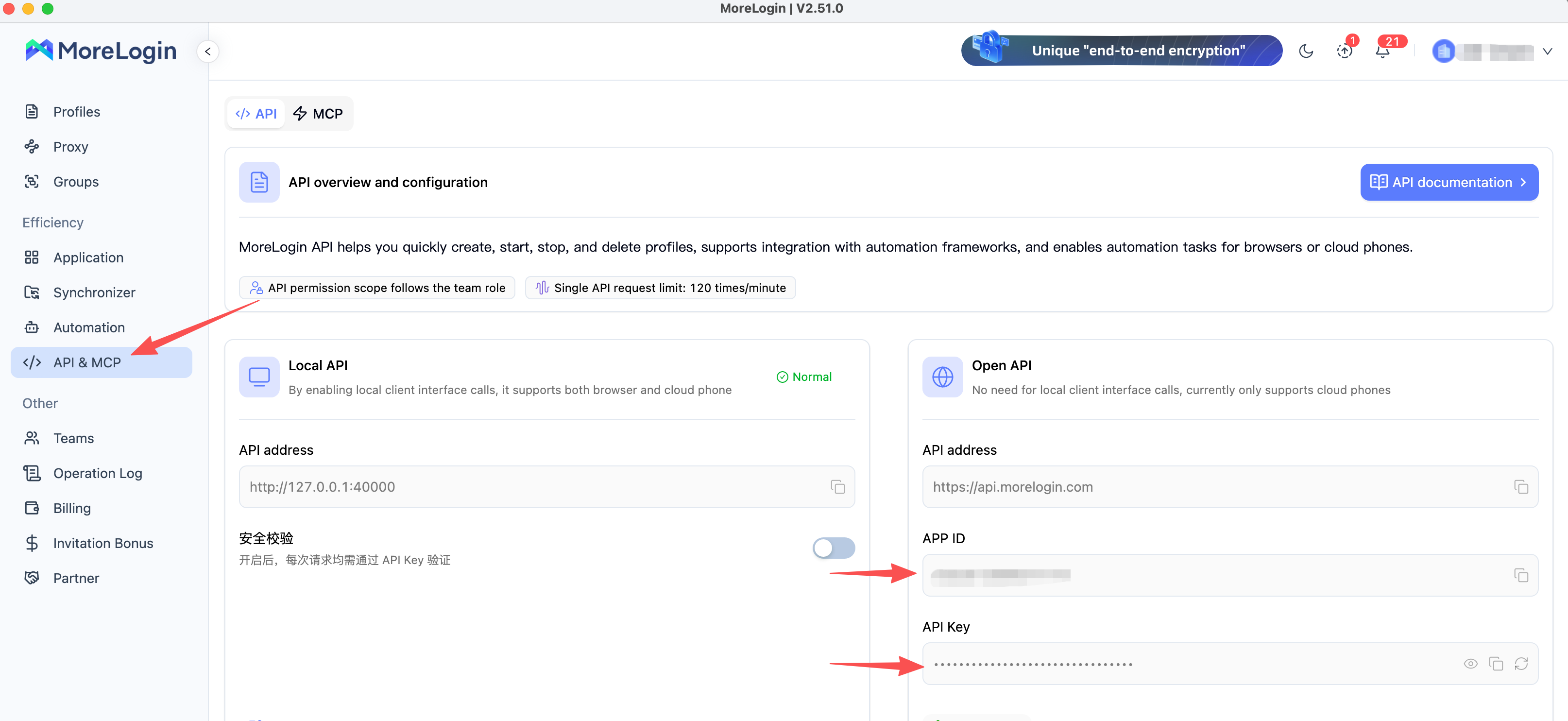
Exchange your API ID and API Key for an access token:
curl -X POST https://api.morelogin.com/oauth2/token \
  -H "Content-Type: application/json" \
  -d '{
    "client_id": "YOUR_API_ID",
    "client_secret": "YOUR_API_KEY",
    "grant_type": "client_credentials"
  }'
Sample Response:
{
    "code": 0,
    "msg": null,
    "data": {
        "scope": "cloudphone",
        "access_token": "eyJ0eXAiOiJKV1QiLCJhbGciOi...",
        "token_type": "Bearer",
        "expires_in": 3600,
        "client_metadata": {
            "name": "Example Team"
        }
    },
    "requestId": "4b727b1d53a445d0a46389465b562360"
}Include the access token in the Authorization header for all Open API requests:
curl -X POST https://api.morelogin.com/cloudphone/app/page \
  -H "Content-Type: application/json" \
  -H "Authorization: Bearer YOUR_ACCESS_TOKEN" \
  -d '{
    "pageNum": 1,
    "pageSize": 10
}'Note: Access tokens expire after 3600 seconds (1 hour). Request a new token when the current one expires.
| Feature | Local API | Open API |
|---|---|---|
| Method | Static token (optional) | OAuth2 access token |
| Token Lifetime | Permanent (until regenerated) | 1 hour |
| Where to Get | MoreLogin client settings | Exchange API ID + Key |
| Header Format | Authorization: TOKEN | Authorization: Bearer TOKEN |
| Required | Optional (can be disabled) | Always required |